Portfolio
  • Register

Our Amazing Projects

These strong relationship enhance our ability to understand an anticipate client’s need


image
 

Example Slide

Project pada Angkas Pura II, Bandara Internasonal Soekarno-Hatta, Jakarta.
image
 

Example Slide

Project pada IPC (Pelabuhan Tanjung Priok), Jakarta.
image
 

Example Slide

Project pada Universitas (UT).
image
 

Example Slide

Project pada Bandara Halim Perdana Kusuma, Jakarta.
image
 

Example Slide

Project pada Four Seaon Hotel, Jakarta.
image
 

Example Slide

Project pada Ritz Carlton Hotel, Jakarta.
image
 

Example Slide

Project pada Apartement Gading Mediterania, Jakarta.
image
 

Example Slide

Project pada Rumah Sakit Harapan Kita, Jakarta.
image

Example Slide

Project pada Rumah Sakit Umum Pusat Nasional Dr. Cipto Mangunkusumo, Jakarta.
The floating menu feature is a great way for your users to easily navigate your website! The floating menu will show at the top of your browser once the screen reaches a certain point. You can determine the exact point at which this occurs via the template specific area of Vertex. NOTE: This is a Vertex addition and is not guaranteed to work with all Vertex Templates. Some custom CSS may need to be adjusted per template. This feature is not supported by IE7/8.

Features at a glance:

  • Set a background image to the menu, gradient or solid color
  • Set to snap or smooth scroll in
  • Determine at which point as you scroll down your page that the menu drops in
  • and many more features, just check out the screenshot below


Admin area of the floating menu:
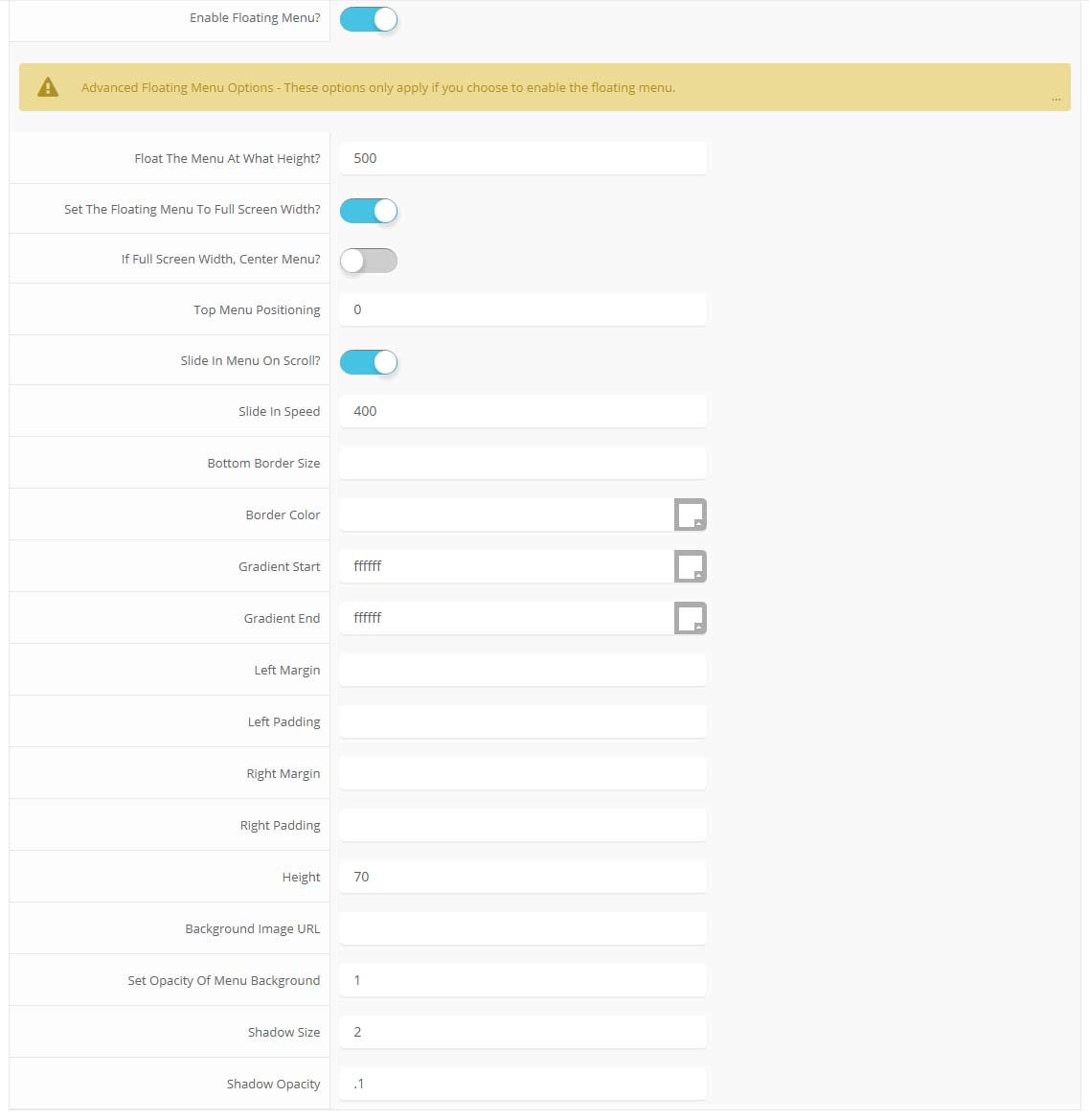
parallax menu admin
  • fr-FR
  • English (UK)

Get In Touch

  • 123 Corporate Street
    Bigtownville, CO 12345
  • 123-555-1212
  • This email address is being protected from spambots. You need JavaScript enabled to view it.