MAN
  • Register
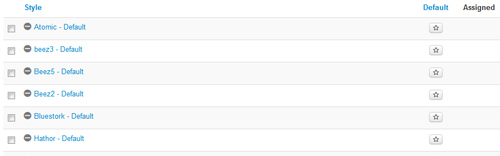
This template comes loaded with options that you can use to customize your site exactly how you want it. Here's how to get to these custom settings:

  • 01In the backend of Joomla go menu item Extensions/Template Manager.
  • 02Click on the title of the template.
  • 03This will bring you to the template manager screen where you can edit the template's parameters.
  • 04Click save when you are done


I like what I see! I want to JOIN TODAY.
  • fr-FR
  • English (UK)

Get In Touch

  • 123 Corporate Street
    Bigtownville, CO 12345
  • 123-555-1212
  • This email address is being protected from spambots. You need JavaScript enabled to view it.